
Samsung Calculator
Screenshots
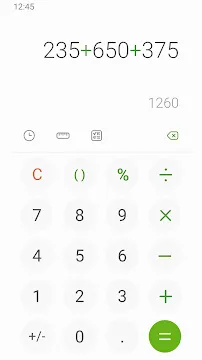
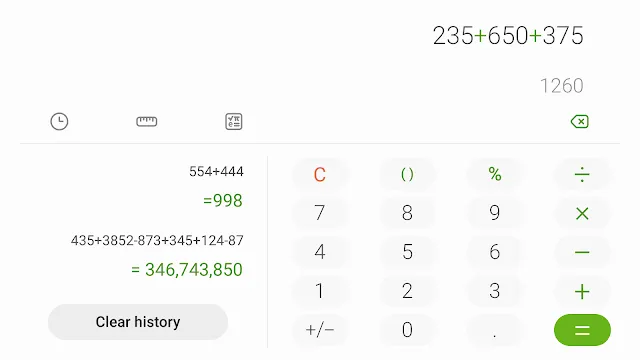
Samsung Calculator is a reliable and essential tool for anyone using a Samsung mobile device. It offers more than just basic arithmetic. The app combines simplicity with advanced features to help you manage daily calculations. Whether you are splitting a dinner bill or solving complex math problems, this application performs smoothly. It features a clean interface that matches the modern aesthetic of Galaxy devices. Most users find it very intuitive because the buttons are large and easy to press.
Reliability is a major factor when choosing a utility app. This calculator ensures accuracy in every transaction or equation. You do not have to worry about intrusive ads or slow loading times. It stays ready in your app drawer for whenever inspiration or necessity strikes. The app integrates perfectly with the system software, ensuring low battery consumption and high performance.
Exploring the core features of Samsung Calculator
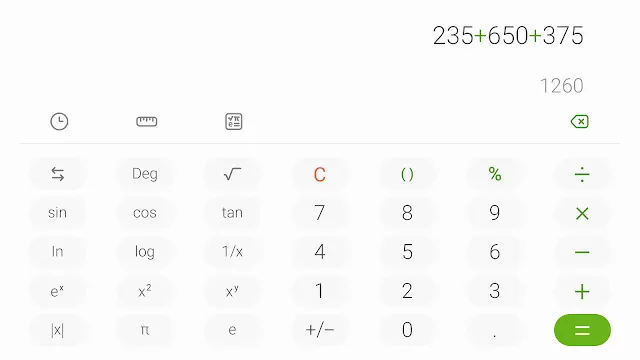
The primary goal of this app is to make math accessible to everyone. It opens to a standard keypad for quick addition, subtraction, multiplication, and division. However, it also includes a scientific mode for more demanding tasks. You can access functions like trigonometry, logarithms, and square roots with a single tap. This makes it a great companion for students and professionals alike.
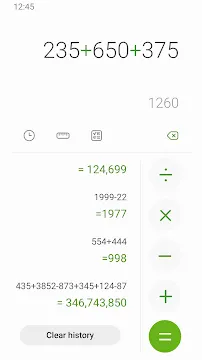
The interface allows you to view your calculation history easily. You can scroll up to see previous results without losing your current work. This feature is incredibly helpful when you need to double-check long lists of numbers. You can also copy and paste results into other apps. This saves time and prevents errors that happen during manual typing.
How to use the unit converter in Samsung Calculator
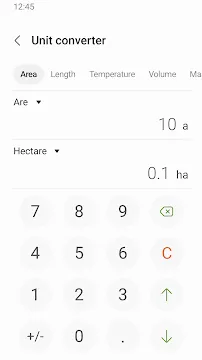
One of the most helpful aspects of this tool is its built-in unit converter. You no longer need to download separate apps to convert measurements. You can simply tap the unit converter icon to switch modes. This feature supports a wide variety of categories. It helps you navigate different measurement systems without any confusion.
The converter handles several common units, such as:
- Area (square meters, acres, hectares)
- Length (meters, inches, feet, kilometers)
- Temperature (Celsius, Fahrenheit, Kelvin)
- Volume (liters, gallons, milliliters)
- Mass (grams, pounds, ounces)
- Data (bits, bytes, megabytes)
This tool is especially useful for travelers or people working with international standards. You get instant results as you type the numbers. The layouts remain clean and easy to read.
Customizing the Samsung Calculator experience
Personalization makes your device feel unique. This app supports both light and dark modes to match your system settings. If you use your phone at night, the dark mode reduces eye strain significantly. The colors are high-contrast, which helps visibility in bright sunlight. You can also adjust the font size within the app for better readability.
The app is designed to work across different screen sizes. It looks great on small phones and functions perfectly on large tablets. On foldable devices, the layout adapts to provide an even better user experience. You can use it in split-screen mode while browsing the web or checking emails. This multitasking capability enhances your productivity throughout the day.
Using Samsung Calculator for financial planning
Many people use their phones to keep track of their spending. This app helps you calculate discounts and taxes quickly while shopping. You can find out the final price of an item by applying percentage reductions easily. It also assists with tip calculations when you are at a restaurant. This ensures you always pay the correct amount without the stress of mental math.
For those managing a budget, the history feature becomes a temporary ledger. You can add up your monthly expenses and see the total immediately. If you make a mistake, you can use the backspace key to delete individual digits. This is much faster than clearing the entire entry and starting over. The app simplifies financial tasks so you can focus on making smart money decisions.
Troubleshooting and updating Samsung Calculator
To get the best performance, you should keep the app updated. Updates often fix minor bugs and improve the speed of the interface. You can find updates in the Galaxy Store or the Play Store. If the app ever feels slow, clearing the cache in your phone settings usually fixes the problem. This refreshes the app without deleting your important data.
If the scientific mode does not appear, check the orientation of your device. On some older versions, rotating the phone to landscape mode reveals the advanced functions. Modern versions usually have a dedicated button to toggle between simple and scientific modes. The app is very stable and rarely crashes, but a quick restart of your phone can resolve most temporary glitches.
Advanced math functions and accuracy
Accuracy is the hallmark of a good utility. This tool uses precise algorithms to ensure every decimal point is in the right place. It handles complex equations with parentheses, following the correct order of operations. This is vital for engineering or physics students who need exact figures. The app does not round numbers prematurely, which maintains the integrity of your results.
The scientific layout provides access to:
- Pi and Euler’s constant
- Power and root functions
- Factorials
- Trigonometric functions (Sin, Cos, Tan)
- Inverse functions
These tools transform your smartphone into a capable scientific calculator. You do not need to carry a physical device to your classes or meetings. Everything you need fits right in your pocket.
Conclusion
The Samsung Calculator is a fundamental app for any Galaxy user. it provides a seamless blend of basic and advanced features. From simple shopping totals to complex scientific conversions, it handles everything with ease. The user interface is clean, fast, and free from distractions. By including a unit converter and a detailed history log, it replaces the need for multiple third-party apps. It is a perfect example of how a simple utility can improve your daily efficiency. Keep it updated and explore all its modes to get the most value from your mobile experience.